


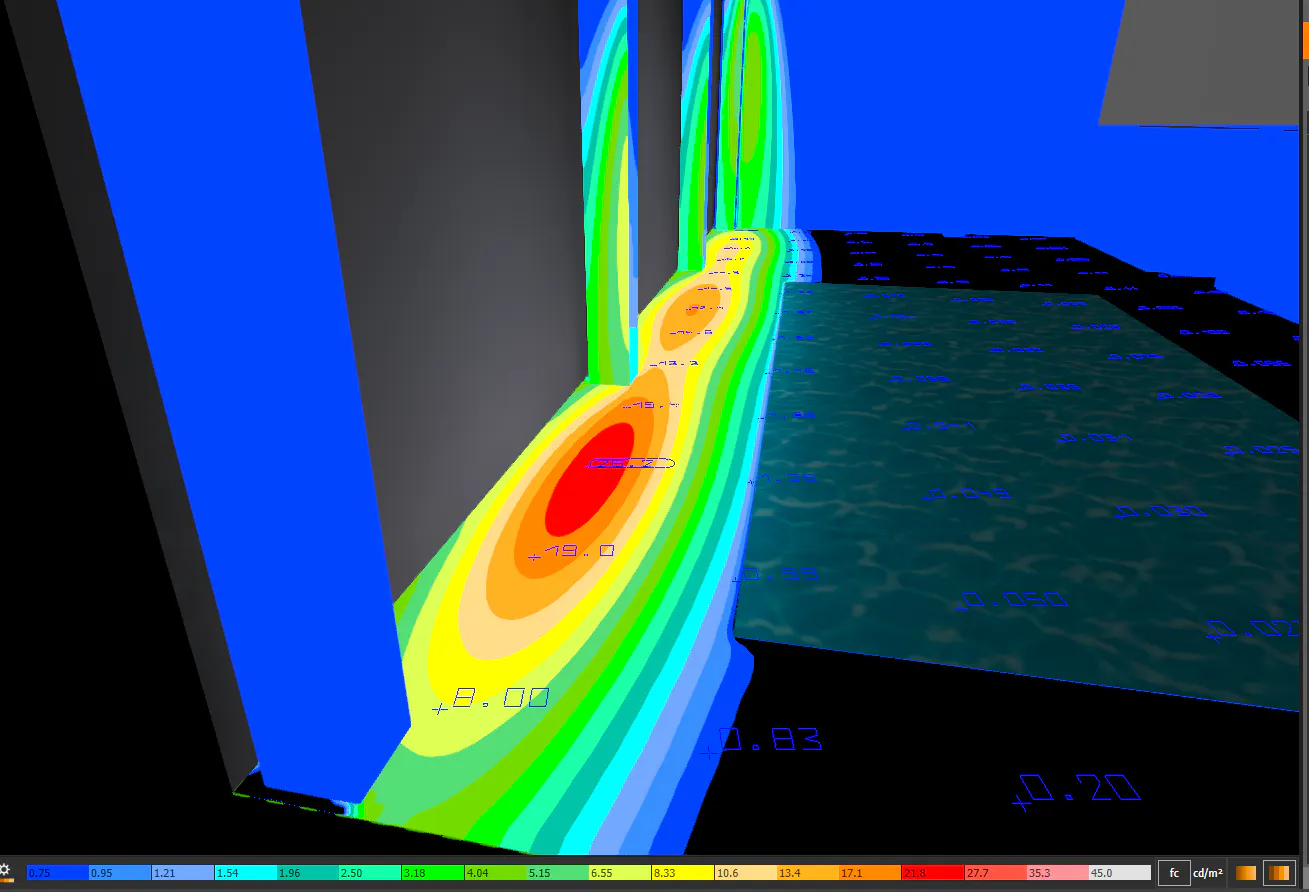
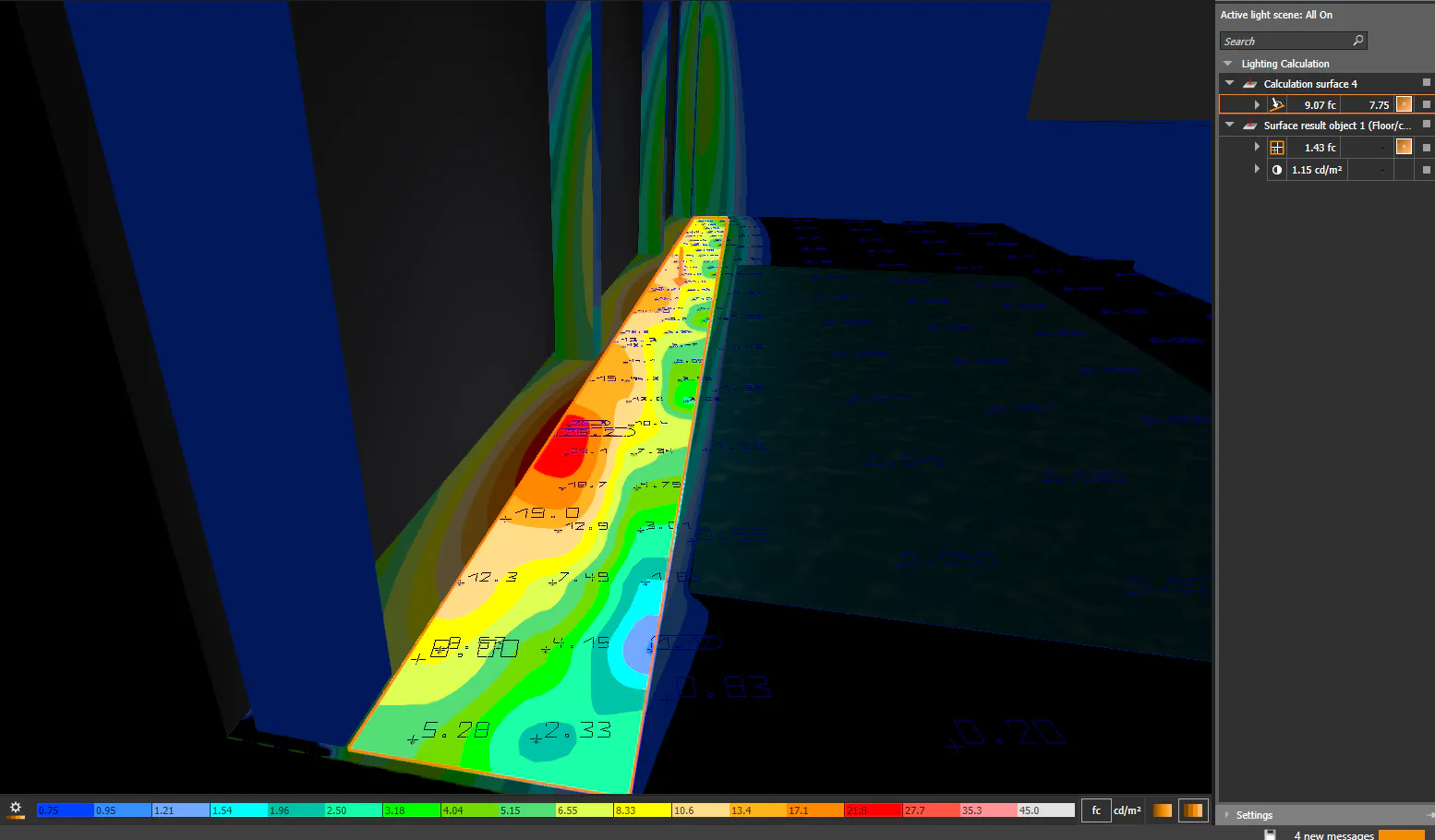
Recently working with Dialux EVO I noticed that results differ on calculations on the same surfaces and under the same conditions, the situation is as follows:
-I create a calculation surface with the Draw Polygonal Calculation Object button, and the light hotspots for the false colours don't make any sense with respect to the positioning on the light sources
-However, if I use the Results on Surface tool, the value chart, isolines and false colours are accurate, even when the calculation surface I did with the Draw Polygonal Calculation Object is lying right on the surface I want to calculate.
Is this some kind of bug or error in the program? Or do I need to set something else in the Draw Calculation Objects options?
Thank you