Missing Objects

13.2
PC, Win11, 8700k, RX550
Imported objects are not in project when the software is restarted

Hi

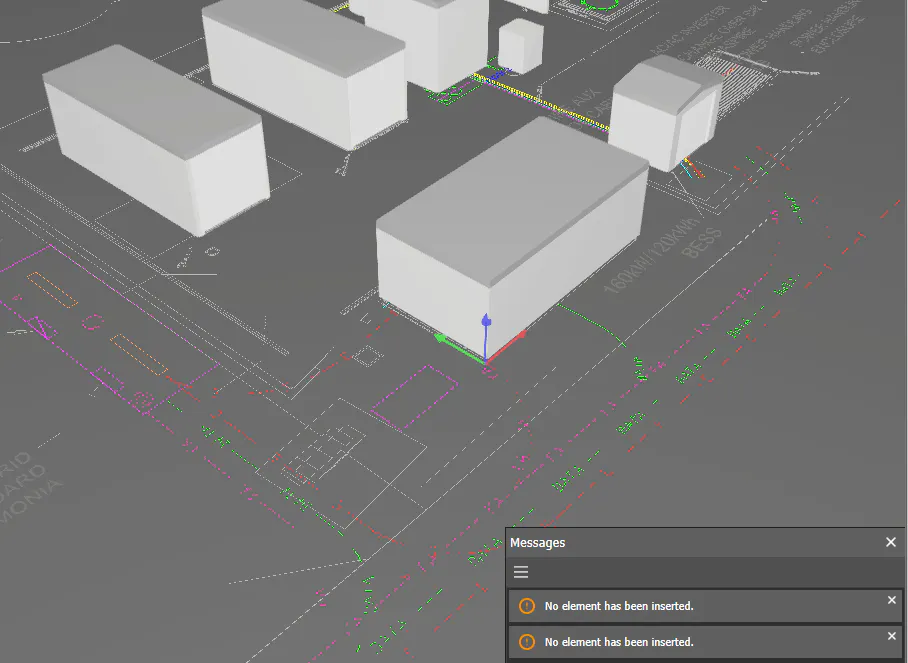
I've designed several .STL's, imported them into the object catalog and placed them in the project. After saving, closing and reopening the project, these STL's are no longer visible.

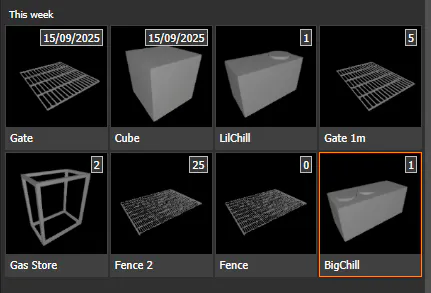
The object menu has numbers on the items telling me they should be in the scene, but I cannot see or place additional objects. When I try to insert additional objects I get a message saying "No element has been inserted".

Do you have a way I can re-associate the 3D objects?
Thanks, Tom
Best reply by Sebastian

Hi Bob and Ferenc,

I was able to find the cause of the bug and fix it. The fix will be included in the upcoming 2nd patch for evo 13.2, which is scheduled to be released next week.

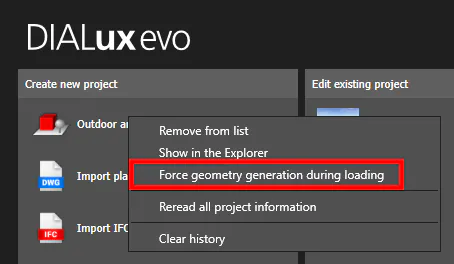
Until then, you can use the following workaround:

When loading an affected project, you need to right-click on the project and select “Force geometry generation during loading”:

Until the patch is released, which will properly and automatically repair affected projects, you will sadly need to do this every time you load an affected project.

Kind Regards,

Sebastian

View original
10 replies